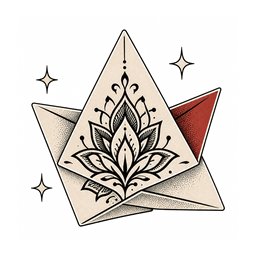


Text-to-Tattoo Drafts
Type your idea in plain English and get a centered, stencil-friendly tattoo design on a warm-paper background. No random props, no cropped limbs, no busy scenery competing with the subject you actually want inked.
Start with free tattoo design credits after signup. Use InkedByAI's AI tattoo generator to describe your idea, choose a style and placement, and turn words into custom tattoo drafts in seconds.
Built for artists, not to replace them
Most image models were never taught what makes a tattoo work on skin. The InkedByAI AI tattoo generator injects tattoo-specific constraints into every prompt — centered composition, clean linework, no photo backgrounds, no watermarks — so each draft starts as a usable tattoo design instead of a square of digital art.
Type your idea in plain English and get a centered, stencil-friendly tattoo design on a warm-paper background. No random props, no cropped limbs, no busy scenery competing with the subject you actually want inked.
Switch between fine line, traditional, Japanese, blackwork, geometric, watercolor, neo-traditional and more. One idea can be rendered across several tattoo styles so you see which direction suits the piece before committing.
Tweak the wording, swap the style, regenerate. Explore a dozen variations on the same tattoo idea without starting from a blank page, and keep the version that reads best at actual size.
Mention the placement in your own words — forearm, shoulder, sleeve, wrist — and it becomes part of the prompt the model works from, alongside the built-in tattoo constraints. You steer the framing with language rather than fighting a generic image tool.
Clean composition, paper-feel background and no watermarks in the way. Bring the draft straight into a studio consult as a reference your artist can actually read and build from.
Every generation is kept in your gallery. Come back to earlier drafts, see how each tattoo style handled the same subject, and pick the direction worth taking to ink instead of losing it in a camera roll.
An AI tattoo generator turns a written description into a tattoo design you can look at, refine and hand to an artist. You describe the subject, pick a tattoo style and a placement; the model returns a draft in seconds. It is a faster way to reach the reference stage — the tattooing itself still belongs to a human with a machine in their hand.
Write the idea the way you would explain it to an artist: the subject, the mood, where it goes on the body. The generator reads placement and style as real constraints, so a forearm fine line piece comes back proportioned for a forearm rather than cropped from a poster. Iterate on the prompt until the composition is right.
The same subject reads completely differently as fine line, as blackwork, as Japanese, as neo traditional. Rather than guessing from other people's tattoos, run your idea through the style you are considering and look at it. Twenty-two styles are built in, and every result stays in your gallery, so choosing a direction becomes something you can see instead of something you argue about across a counter.
Fourteen tattoo styles, one canvas. Fine line, traditional, Japanese, blackwork, geometric, watercolor, neo-traditional, minimalist, ornamental, dotwork, realism, biomechanical, trash polka and tribal — each rendered by the same AI tattoo generator so you can compare how a single idea reads in different hands.
Four steps from a sentence to a reference you can hand over. No software to install, no drawing skill required, and nothing to pay before you see whether the idea works.
Write the subject, the mood and anything that matters — a snake coiled through peonies, fine line, soft shading. Plain sentences work better than keyword soup, and you can attach a reference photo when you already have one in mind.
Choose the style and the placement. Fine line, traditional, Japanese, blackwork, watercolor and more each carry different line weight and shading rules, and placement decides how the composition is framed for that part of the body.
The first tattoo design lands in seconds. Adjust the prompt, swap the style, regenerate as many directions as you want — every version stays in your gallery instead of vanishing when you close the tab.
Download the design as a PNG and bring it to your consult. It is a reference, not a finished stencil — your artist redraws it to fit your body and their hand. What it buys you is walking in with a picture instead of a description.
Plenty of tools can make an image. Very few are built around how tattoos are actually planned, drawn and worn.
Sign up and you get free tattoo design credits immediately — no payment details, no trial countdown, no watermark stamped across the result. Generate real drafts first and decide whether the tool earns a place in your process afterwards.
Drafts you generate are yours to take to any studio. We do not resell your designs, publish your gallery, or require you to credit the tool on skin. Your prompts and results sit in your account, not in a public feed.
You do not need to sketch, and you do not need to know the vocabulary. Describe the tattoo the way you would say it out loud and the generator handles line weight, framing and placement — the parts that usually stop people before they ever book a consult.
The constraints were shaped around how tattoos are actually planned: centered compositions, clean linework, no watermark across the middle, references legible across a counter. AI speeds up the sketching stage — the needle, the judgement and the healed result still belong to your artist.
Three guides for the three ways people arrive here. Whether you ink for a living, are booking your very first piece, or are planning how the next one fits what you already wear, start from the one that sounds like you.
Turn a vague client brief into three visual directions before the consult ends, then draw the real thing from the one they point at. Faster agreement, fewer redraws, and flash concepts you can develop between appointments.
Read the guideWalking into a studio without a picture is the hardest part. Try a subject across every tattoo style at home, learn which style names match the look you like, and arrive with a real reference instead of a half-sentence and a phone full of other people's tattoos.
Read the guidePlan how the next piece sits against what you already wear. Test placements, match line weight to existing work, and see whether a sleeve reads as one story before an artist blocks out the space.
Read the guideCost, ownership, styles and what actually happens when you take a generated design into a studio.
Try the AI tattoo generator now. Free credits on signup, no card required.